

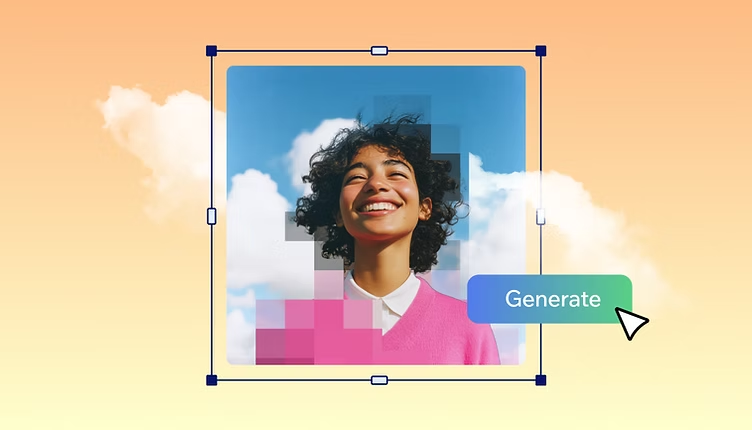
AI has made photo and video creation much more accessible. Instead of spending hours learning complex editing software, creators can now describe an edit in plain language, generate visual variations, animate still images, or turn a portrait into a speaking character with only a few clicks.
The best tools in 2026 are no longer limited to one function. Many combine image generation, photo editing, video creation, lip syncing, and AI avatars in a single workflow. To help you choose the right option, we compared leading tools based on features, ease of use, output quality, pricing, creative flexibility, and practical limitations.
AI Image and Talking Photo Tools at a Glance
| Rank | Tool | Best For | Key Features | Pricing |
| #1 | Magic Hour | AI image editing, talking photos, lip sync & video | Prompt-based editing, talking photos, face swap, lip sync, image/video generation, upscaling, multiple AI models | Free; Creator: $19/month or $12/month billed annually; Pro: $39/month or $25/month billed annually |
| #2 | Adobe Firefly | Professional AI photo editing | Prompt to Edit, Generative Fill, background replacement, expand, upscale | Free tier; paid plans vary |
| #3 | HeyGen | AI avatars and presenter videos | Talking avatars, lip sync, translation, digital twins, video creation | Free tier; paid plans from about $24/month annually |
| #4 | D-ID | Talking photos | Photo-to-video, talking portraits, AI presenters, API | Free/trial options; paid plans vary |
| #5 | Canva | Social and marketing content | AI editing, templates, image generation, background tools, design editor | Free; Pro from around $12.99/month |
1. Magic Hour — Best Overall AI Image Editor With Prompt and Make Photo Talk AI
Magic Hour stands out because it combines image and video creation instead of forcing creators to jump between separate applications. Its AI image editor can handle prompt-based image editing, while its video tools cover face swapping, lip sync, talking photos, image-to-video, animation, and more. This makes it particularly useful for creators who want an AI image editor with prompt capabilities and also need to make photo talk AI content within the same platform.
Magic Hour’s major differentiator is the breadth of its AI workflow. Users can access multiple frontier AI models in one place, create fast variations and multiple takes, and use click-to-create templates rather than building every workflow manually. It also supports one-click multi-step workflows such as generating an image, upscaling it, and turning it into video.
Another advantage is accessibility. You can try the platform without signing up, credits do not expire, and the free tier is unusually generous. The platform is optimized for both desktop and mobile, supports parallel generations without a concurrency cap, and provides API parity across its tools. Weekly feature releases and responsive founder-level support are additional advantages for active creators.
For talking-photo projects specifically, Magic Hour includes dedicated Talking Photo and Lip Sync tools. Its current paid plans also provide substantial creation capacity across both image and video tools.
Pricing
- Free
- Creator: $19/month or $12/month billed annually
- Pro: $39/month or $25/month billed annually
Pros: Broad AI tool collection, strong face swap and lip-sync capabilities, talking photos, prompt-based image editing, multiple models, no-signup trial, non-expiring credits, templates, fast variations, API access, and mobile-friendly workflows.
Cons: The large number of tools and models can initially feel overwhelming, and high-volume professional users may eventually need a paid plan or additional credits.
2. Adobe Firefly — Best for Professional Prompt-Based Photo Editing
Adobe Firefly is a strong choice for users who want conversational AI editing combined with professional creative controls. Its Prompt to Edit feature allows users to describe changes using natural language, such as removing objects, changing backgrounds, or adjusting the visual style.
Firefly also includes Generative Fill, Generative Expand, Generative Recolor, background replacement, upscaling, cropping, and resizing. It can work with Adobe’s own models as well as selected partner models, giving creators more flexibility. (Adobe)
Pricing: A free option is available with limited generative credits, while paid plans provide additional credits and capabilities.
Pros: Excellent editing controls, natural-language prompts, Adobe ecosystem integration, professional workflow, and strong compositing capabilities.
Cons: Users who primarily want talking photos or AI avatar videos will need another tool, while some advanced features depend on Adobe’s broader subscription ecosystem.
3. HeyGen — Best for AI Avatar Videos
HeyGen is designed primarily around AI-generated presenter and avatar videos. It is particularly useful for marketers, educators, sales teams, and creators who need a person-like digital presenter without filming themselves.
The platform supports AI avatars, digital twins, lip-synced video, multilingual content, and video translation. Its advertised language coverage is extensive, making it useful for businesses producing localized video content. (HeyGen)
Pricing: HeyGen has a free plan with limitations. Its Creator tier is around $29/month monthly or approximately $24/month when billed annually, according to current 2026 comparisons. (HeyGen)
Pros: Strong avatar realism, multilingual video, digital twins, professional presenter content, and a mature business-oriented workflow.
Cons: Premium avatar features use credits, and users focused specifically on editing still photos may find it less flexible than dedicated image-editing platforms.
4. D-ID — Best for Quick Talking Photos
D-ID is one of the established choices for turning a still portrait into a speaking video. The basic workflow is straightforward: upload a photo, provide text or audio, and generate a talking-head clip.
It remains particularly useful for short social videos, historical-photo projects, quick presentations, and simple AI presenter content. D-ID also provides developer-oriented API capabilities. (VEED)
Pricing: Current 2026 pricing varies by plan and billing cycle, with entry-level options available at a relatively low price compared with some competitors. (ngram)
Pros: Simple talking-photo workflow, established platform, API support, and good suitability for short portrait animations.
Cons: Lower-cost tiers can be restrictive, and the platform is more specialized than an all-in-one creative suite. Longer or more complex productions may require additional editing software.
5. Canva — Best for Social Media Content
Canva is a practical option for creators who want to combine AI editing with conventional design tools. Instead of concentrating exclusively on AI-generated imagery, Canva combines AI features with templates, layouts, presentations, social posts, advertisements, and other content formats.
Its AI capabilities can help users generate and modify images while the broader editor makes it easy to turn those visuals into finished marketing assets.
Pricing: Canva offers a free plan, while Canva Pro is generally around $12.99/month, although pricing can vary by region and billing arrangement. (Deepak Gupta)
Pros: Extremely beginner-friendly, extensive templates, strong social-media workflow, and useful design tools.
Cons: Its AI image editing and talking-photo capabilities are not as specialized as platforms built specifically around AI video, lip sync, or advanced generative editing.
How We Choose These Tools
We evaluated these tools according to several practical criteria:
- AI capabilities: We considered how well each platform handles image editing, generation, animation, talking photos, or avatar video.
- Ease of use: A good AI tool should allow beginners to achieve useful results without extensive technical knowledge.
- Output quality: Image realism, facial consistency, lip-sync accuracy, and overall video quality were important considerations.
- Workflow efficiency: Tools that combine several steps in one workflow received additional consideration.
- Pricing and value: We compared free access, paid plans, usage limits, and the features included at each level.
- Flexibility: Multiple models, templates, editing controls, export options, and API access can make a tool more useful for different creators.
- Use cases: We considered whether a platform works well for social media, marketing, education, personal projects, and professional content creation.
FAQs
What is the best AI image editor with prompts in 2026?
Magic Hour and Adobe Firefly are strong choices. Magic Hour is particularly appealing if you also want image-to-video, talking photos, face swapping, and other AI video features in the same platform. Firefly is especially strong for professional prompt-based photo editing and Adobe workflows.
Which tool is best for making a photo talk?
Magic Hour, HeyGen, and D-ID are among the strongest choices. Magic Hour is particularly useful when talking-photo creation is part of a broader image and video workflow, while D-ID specializes in photo-to-talking-video creation and HeyGen focuses heavily on AI presenters and avatars.
Can I make a talking photo without recording myself?
Yes. Many AI talking-photo platforms can animate a still portrait using typed text, uploaded audio, or AI-generated speech. The result can then be used for social posts, presentations, storytelling, or marketing content.
Is Magic Hour free?
Yes. Magic Hour offers a Free plan, so users can try its AI creation tools without immediately purchasing a subscription. Its pricing page also states that users do not need to enter a credit card to try the free plan. (Magic Hour AI)
Do Magic Hour credits expire?
No. Magic Hour states that unused credits roll over and do not expire. (Magic Hour AI)
Conclusion
The best AI creative tool depends on the type of content you want to produce. Adobe Firefly is excellent for professional prompt-based image editing, Canva is convenient for social and marketing designs, HeyGen excels at AI presenter videos, and D-ID remains a useful option for straightforward talking photos.
For creators who want a broader creative workspace, Magic Hour is the strongest overall choice in this 2026 list. Its combination of prompt-based image editing, face swap, lip sync, talking photos, AI video generation, multiple AI models, templates, upscaling, and multi-step workflows makes it possible to move from an idea to finished visual content without constantly switching platforms. Its free access, non-expiring credits, mobile-friendly experience, parallel generations, and API support further strengthen its value for both casual creators and professional workflows.